Physiotherapy scheduling software: 7 points to check
Seven questions to ask before switching scheduling software: request screening, rooms and equipment, manual approval, session series and telehealth.

The phone rings during your first session of the morning. You let it ring. By noon, there are six messages on the answering machine: three renewals, a first consultation with no prescription, a patient who wants to reschedule, and a number with no message. You call back between two patients, half of them do not pick up, and you finish the week's schedule from your car.
It is not the number of sessions that wears you down, it is everything you have to do around them for them to take place. An online scheduling tool solves part of the problem: your patients book without calling you. It creates another one if everything that comes in goes into your day without being looked at.
Here are the seven questions to ask before switching scheduling software. They are not about the number of views or the colour of the slots, but about what governs the time between your sessions.
1. Can the scheduling tool turn a request away, or does it record it as it comes?
This is the question that separates an appointment book from a scheduling tool. Most systems record what the patient ticked: you find out on the day that the 2 pm first consultation arrives without a prescription and that the thirty-minute slot needed sixty.
So ask whether the tool can put your questions before the booking, receive the document the patient uploads, and check both against the reason for the appointment. With us, what the patient answers and what they upload are compared with the reason for the appointment, your profession and the patient's age: whatever does not fit is turned away, flagged, or held pending your approval. The appointment only enters your day after that.
2. Are your organisation rules written, or ticked?
"No first consultation on Friday afternoons." "Keep two slots free every morning." "On Wednesdays, I do home visits." These three sentences describe how a real practice is organised. In a conventional scheduling tool, they turn into blocked time ranges, tick-box menus and stacked conditions, and you maintain them by hand.
The right question is about the end date: a seasonal rule that you have to remember to remove is a rule you will forget. "During school holidays, open the slots from 12 pm to 2 pm" should be written once, with a start and an end, and switch itself off.
3. Does a proposed slot take your rooms and equipment into account?
A session is not just a duration. It is a place, a room, often equipment, and sometimes a colleague who is already using the pool. A scheduling tool that only knows your timetable will offer a slot you cannot honour.
Ask whether you can declare resources and how many of each you have, then link them to a reason for consultation. A reason that requires one room and two devices should only appear to the patient if all three are free at the same time. The same requirement applies to practising at several addresses: each location has its own opening hours, accessibility and contact details, and the patient must see the right one.
4. Can you keep control, reason by reason?
Automatic acceptance saves time on renewals. It is risky on a first consultation. The answer "yes, you can validate everything by hand" is not satisfactory, and neither is "no, everything is automatic": what you need is a setting for each reason.
Also check which way priority runs. With us, a filter that classes a request as "to be validated" forces a wait even on a reason set to automatic. Never the other way round: automatic does not override your requirement.
5. Can a series of sessions be booked in one go?
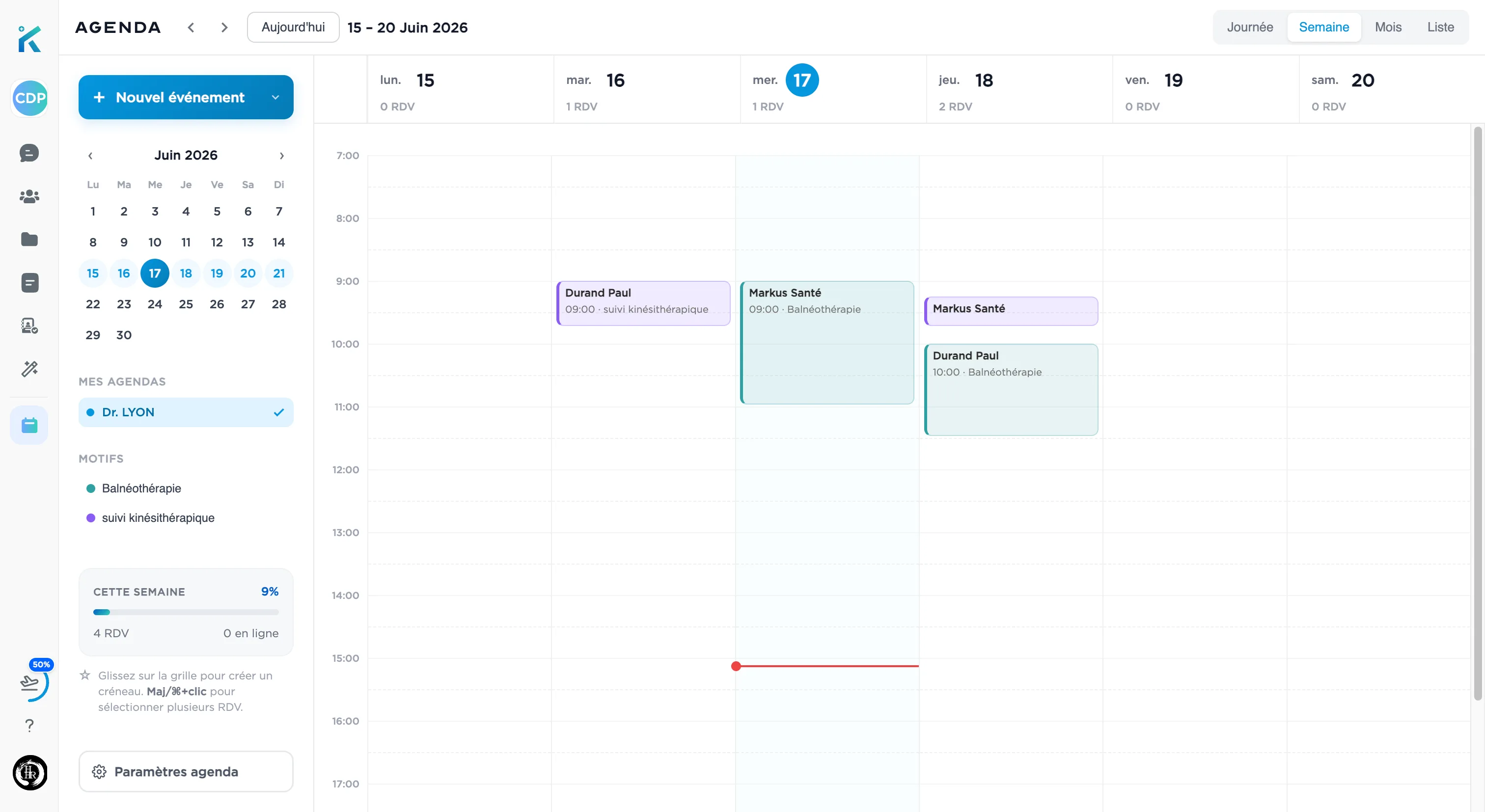
A prescription for fifteen sessions at two per week, entered slot by slot, takes a quarter of an hour of your time and guarantees a counting error within a month. Ask whether you can set a rhythm, an interval and a number of sessions in a single operation, and whether the progress of the care plan can be read without recounting.
In the same vein, two features change a week and are rarely found together: group slots, with a number of places defined per reason, for hydrotherapy, workshops and small-group rehabilitation; and the waiting list, which alerts you at the first cancellation to the slot that has been freed and to the patient who was waiting for it, instead of leaving you with a gap that nobody sees.
6. Is telehealth an appointment, or one more tool?
If video lives in another piece of software, you keep two diaries and you send a link by hand. The right answer is that the mode of delivery is part of the appointment, like the place or the duration: you open a time range in the practice and by video, the patient sees both at the same time, and an initial assessment that requires the practice never appears as a video option.
On the regulatory side, four conditions are worth knowing before you buy equipment. According to the Assurance Maladie (French national health insurance), telehealth acts must be carried out by video transmission: the telephone is excluded. The patient must be known, that is to say, must have had at least one act or assessment in person with the practitioner in the previous twelve months. Only a physiotherapist from the same area as the patient can provide telehealth. And telehealth acts receive the same reimbursement as acts carried out in person: the benefit is not in the fee, it is in the sessions that would not otherwise have taken place.
Worth noting, because the question keeps coming up: video transmission equipment is one of the optional indicators of the FAMI allowance (forfait d'aide à la modernisation et à l'informatisation du cabinet), worth €350 per year, "including for subscriptions to the various technical solutions". It is an indicator that you declare yourself on amelipro (the Assurance Maladie's online portal for healthcare professionals), alongside the five prerequisites worth €490. It does not depend on any software vendor, and no vendor can open it for you.
7. On what basis is it billed, and do you have to change everything?
Two questions to ask without beating about the bush. The first: a subscription or a percentage of your acts? A scheduling tool that takes its pay from your activity costs you more the more you work. The second: do you have to give up the software you already use?
Our answer is a subscription, never a commission: the scheduling tool and online booking are included in Markus Consultation, at €58.80 incl. VAT per month (€49 excl. VAT), with a fourteen-day trial and no bank card required. And no, you do not change your billing software: Markus does neither billing nor teletransmission. It handles the booking, the organisation of sessions, and everything that gets written around them.
What these seven points have in common
None of them treats the scheduling tool as a notebook. All of them are about the same thing: what decides what enters your day, and what you still have to do once the session is over. A scheduling tool that sorts, that knows your rooms and that keeps your series in order does not win you patients. It gives you back the time between your sessions, and your evenings.
You can look at how the Markus scheduling tool works in detail, see what your patients see on the online booking page, or read what Markus does for physiotherapists beyond the schedule. If you are at the choosing stage, our comparison of physiotherapy software approaches the subject from the other end.
Sources
Ameli, "Télésoin : conditions de réalisation, facturation et aides à l'équipement" (updated 13 March 2024)
Ameli, "Forfait d'aide à la modernisation et à l'informatisation du cabinet" (updated 14 February 2025)